
Pinterest advice is everywhere. Post more pins. Post fewer pins. Buy an old account. Never use AI. Use AI for everything. Pin at the perfect time. Wait three months. Change your strategy every two weeks because someone on the internet said the algorithm changed.
Honestly? No wonder people get overwhelmed.
After working with Pinterest accounts and building a strategy around Pinterest traffic, I’ve learned that the biggest problem isn’t a lack of tips. It’s that people spend too much time chasing hacks instead of building a system that actually makes sense.
Pinterest can drive traffic to your blog, help you grow an audience, and eventually turn that traffic into income. But it works best when you understand how the pieces fit together: niche selection, keyword research, blog content, pin design, consistency, and monetization.
And no, you don’t need to spend your entire day making pins or obsess over every little algorithm update.
In this guide, I’m breaking down the biggest Pinterest myths, what I recommend doing instead, and how I’d approach Pinterest marketing in 2026 if my goal were to build a blog that generates long-term traffic and income.
No magic-hour nonsense. No complicated strategy that requires 47 tools. Just a practical game plan you can actually follow.
Myth #1: Pinterest Is Just Another Social Media Platform
Reality: I treat Pinterest as a visual search engine, not another Instagram.
This is one of the biggest mistakes beginners make.
They create a Pinterest account, upload a few pretty pictures, repin random content, and hope people will magically discover their website.
That’s not a strategy.
Pinterest is a visual discovery platform where people search for ideas, solutions, inspiration, and things they want to try. Your job is to create content that matches what those people are looking for.
Think about the difference.
Someone searching for easy weeknight dinners wants meal ideas. Someone searching for small bathroom organization wants practical ways to organize their space. Someone searching for a printable budget planner wants something useful they can save or use.
If your content matches that intent, you’ve given people a reason to click.
This is why I focus on three things:
- Keywords: What are people searching for?
- Content: Does my blog post actually answer their question?
- Pins: Does my visual make the topic clear and give them a reason to click?
Pretty pins matter, obviously. But a beautiful pin that targets the wrong audience isn’t going to magically fix your strategy.
What actually works?
Start with a specific niche, create helpful content around relevant keywords, organize your Pinterest boards around those topics, and publish fresh pins that lead to your website.
Every part should work together.
Your blog provides the content. Your Pinterest account helps people discover it. Your pins create the opportunity for clicks.
Simple? Yes.
Does that mean it’s effortless? Nope.
Myth #2: You Need to Go Viral to Get Traffic
Reality: Consistent, relevant traffic is more useful to my long-term strategy than chasing one viral pin.
Going viral sounds exciting. Who wouldn’t want thousands of people clicking a pin overnight?
But I don’t want my entire blog strategy to depend on one pin taking off.
I want a growing library of useful blog posts, each with multiple opportunities to be discovered on Pinterest.
Let’s say you run a recipe blog.
Instead of publishing one recipe and spending weeks trying to make that single pin go viral, you could build content around easy dinners, beginner-friendly recipes, meal prep, budget meals, and desserts.
Each article gives you another topic to target and another URL to promote.
Now imagine doing that consistently.
You have more content to work with, more relevant keywords to target, and more opportunities to create different pin designs.
That’s the idea behind building a content engine.
What actually works?
- Publish helpful, niche-focused blog posts.
- Create fresh pins for your articles.
- Target specific keywords that match the content.
- Track which pins generate clicks.
- Create more variations around topics and designs that perform well.
When a few pins start getting clicks, pay attention. That’s useful information.
Instead of guessing what your audience wants, you can use your results to decide what to create next.
The goal isn’t to make one pin successful. It’s to build a system that gives your content repeated opportunities to attract traffic.
Myth #3: You Must Pin Hundreds of Times a Day
Reality: I would rather build a sustainable posting routine than overwhelm a new account from day one.
Pinterest posting frequency is one of those topics where advice gets unnecessarily complicated.
Some people recommend posting as much as possible immediately. Others make it sound like you should barely touch your account.
My approach depends on the account’s age and how much fresh content I can realistically create.
How many pins should you post per day?
Here’s the posting framework I use as a starting point.
| Account stage | Suggested daily pin volume |
| Days 1–2 of a new account | Around 5 pins per day, after setting up relevant boards |
| First 2–4 weeks | Around 5–10 pins per day |
| Established account | Gradually scale toward 25–30+ pins per day if you can maintain quality |
For a new account, I’d start with two or three relevant boards, publish around five pins on the first day, and add more gradually.
By day three, you can work toward six to ten pins per day, depending on your workflow.
The point is to establish consistent activity instead of suddenly flooding a brand-new account with content.
Once an account has history and you’re able to produce enough fresh, relevant pins, you can increase your volume.
But here’s the part people conveniently forget: 30 pins a day doesn’t mean 30 copies of the same pin.
Your pins should be fresh, your topics should be relevant, and your URLs should be varied.
What about posting 2–5 pins a day?
That’s a reasonable starting point for someone building a routine.
If you want to scale, you can gradually increase your output as your content library grows.
You can also batch your work, which brings me to another useful point.
I like the idea of separating content creation from pin creation. You could publish five blog posts a day and create pins for them, or batch 50–100 blog posts and spend the following weeks making pins.
Neither approach is automatically right for everyone.
Choose the workflow you can maintain without turning Pinterest into a full-time job that pays you nothing.
Myth #4: New Pinterest Accounts Cannot Grow
Reality: A new account can still work, but you need to give it time to build momentum.
Starting from scratch isn’t a reason to give up before you’ve even started.
A new Pinterest account doesn’t have an established history, so I wouldn’t expect immediate results. Your job is to give the account a clear niche, relevant content, and consistent activity.
Here’s how I’d set one up.
Step 1: Create a Pinterest business account
You can convert an existing personal account or create a separate business account.
A business account gives you access to analytics and website claiming, which are important if you’re using Pinterest to grow a blog.
Step 2: Complete your profile
Add a profile image or logo, write a clear bio, and make your niche obvious.
Don’t make people guess what your account is about.
Step 3: Create relevant boards
Start with three to five closely related boards if you’re keeping the setup simple, or build toward ten to fifteen boards as your content categories become clearer.
The important part is relevance.
Step 4: Publish gradually
Use the first few weeks to establish a consistent routine. Avoid aggressive posting patterns and repetitive content.
Step 5: Keep going
This is where many people struggle.
They post for two or three weeks, see little traffic, and decide Pinterest doesn’t work anymore.
Meanwhile, they haven’t built much content, tested many pin designs, or given their account time to gain traction.
Pinterest is a slow burn. In my experience, I’d plan for a couple of months before expecting noticeable traffic rather than judging the entire strategy after a few days.
You can start seeing signals earlier, but don’t confuse early fluctuations with the final outcome.
Myth #5: An Old Pinterest Account Guarantees Faster Growth
Reality: An older account may have a head start, but it isn’t a shortcut that replaces a good strategy.
There’s a reason people talk about aged Pinterest accounts.
An older account may already have some history and trust, which could help it gain traction compared with a brand-new account.
But that doesn’t mean every old account is valuable.
If the account is full of unrelated boards, has a history of problematic activity, or doesn’t fit your niche, you’ll still have work to do.
I also don’t recommend buying random Pinterest accounts. They can come from unreliable sources and create unnecessary risk.
If you have access to an old account belonging to a friend or family member, you could consider repurposing it appropriately.
If you go that route, focus on:
- Updating the profile and branding.
- Claiming your own website.
- Archiving irrelevant boards.
- Creating boards that match your niche.
- Publishing relevant, original pins consistently.
You can also start a brand-new account and follow the same fundamentals.
An aged account is a possible advantage, not a requirement. I’d never build an entire business plan around finding one.
Myth #6: You Can Ignore Pinterest SEO
Reality: Keywords are a core part of my Pinterest strategy.
You can create the most beautiful pin in the world, but if the topic isn’t clear, you’re making discovery harder than it needs to be.
Pinterest SEO starts before you even design your pin.
It begins with understanding your niche and the topics people search for.
Optimize your Pinterest display name
Don’t use only your brand name if it tells people nothing about your content.
For example:
Instead of:
Fresh & Cozy
Try:
Fresh & Cozy | Cleaning Hacks + Easy DIY Home Tips
Your brand is still there, but now the niche is obvious.
Write a keyword-rich bio
Your bio should explain what people can expect from your account while naturally including relevant keywords.
For example, a food blog might use:
Simple recipes for busy people. Easy dinners, quick breakfasts, budget-friendly meal ideas, and meal prep tips.
Clear. Relevant. No need to cram every possible keyword into one sentence.
Create keyword-rich boards
Board names should describe the content people will find inside them.
Instead of vague names like “Yummy Stuff” or “Cute Ideas,” use clear topic names such as:
- Easy Weeknight Dinners
- Budget-Friendly Meal Prep
- Small Bathroom Organization
- Simple Cleaning Hacks
- Beginner-Friendly Vegan Recipes
Your boards act as topic categories for your Pinterest account.
Write descriptions for every board
Don’t leave your board descriptions blank.
I recommend writing two or three useful sentences that include your main keyword, related long-tail keywords, and relevant topic terms.
For example:
Board: Easy Weeknight Dinners
Discover easy weeknight dinners for busy families and beginner cooks. Find quick meals, simple comfort food, and easy one-pan dinner ideas for your next family meal.
You don’t need to stuff the description with every keyword you’ve ever discovered.
Write naturally, stay on topic, and make the board’s purpose clear.
Don’t forget your website
Claiming your website is another important setup step.
It helps connect your domain to your Pinterest account and gives you access to analytics for your site’s pins.
You can claim your domain using the verification method Pinterest provides, such as an HTML file or a meta tag.
Do this early instead of leaving it until months after you’ve started publishing.
Myth #7: You Should Only Target High-Volume Keywords
Reality: I like combining specific, lower-volume keywords with broader topics.
When you’re starting out, it can be tempting to target the biggest keywords in your niche.
After all, a popular keyword sounds like it should bring more traffic.
But popular keywords can also be highly competitive, and a new account doesn’t have much history or authority yet.
That’s why I wouldn’t rely entirely on broad keywords from day one.
Start with specific keywords
Let’s say your niche is home organization.
Instead of targeting only a broad topic like “home organization,” you could create content around:
- Small bathroom organization ideas.
- Under-sink storage ideas for small bathrooms.
- Easy pantry organization for beginners.
- DIY storage ideas for small spaces.
These examples are more specific and give you clearer content angles.
You can still target broader keywords over time, but you don’t need to make them your entire strategy.
How I find topics worth creating content around
I recommend using Pinterest itself and studying accounts in your niche.
Here’s my process:
- Search Pinterest as if you’re a regular user.
- Pay attention to search suggestions and the topics that appear.
- Look at successful accounts in your niche.
- Study their boards, pins, and blog topics.
- Use PinClicks to investigate pin saves and discover Pinterest Annotations.
- Turn relevant observations into your own content ideas.
The goal is to learn what people are interested in, not to copy another creator’s work.
If a topic is getting attention, you can create your own article that approaches it differently, answers the question clearly, or targets a more specific audience.
Build your content around real demand instead of guessing what might work.
Myth #8: You Can Keep Pinning the Same URL Every Day
Reality: I space out URLs and create fresh pin designs rather than repeatedly posting the same link.
This is an easy mistake to make when you’re trying to increase your daily pin volume.
You have one blog post, so you create ten designs for it and upload them all in a single day.
Technically, you’ve created ten pins. Strategically, you’ve given yourself a problem.
I recommend waiting at least seven days before promoting the same URL again. If you’re using a new design or targeting a different keyword, waiting seven to ten days is a useful starting point.
Some of my broader planning recommendations are even more conservative: you can space the same URL by one or two weeks.
How to create multiple pins for one blog post
Let’s say you’ve written an article about easy weeknight dinners.
You could create different pin variations that highlight:
- Quick weeknight dinner ideas.
- Easy family dinners for busy evenings.
- Simple dinner recipes for beginners.
- One-pan dinner ideas.
Each pin should have its own relevant title, visual treatment, and description.
The destination can remain the same, but the creative should offer a genuinely different angle rather than being a near-identical duplicate.
Then spread those pins out over time.
What about 30 pins per day?
You can publish 30 pins without sending all 30 to one article.
Instead, use a library of blog posts and distribute your pins across relevant URLs and boards.
For me, the more useful formula is:
More useful content + fresh pin designs + relevant keywords + consistent distribution.
Not repetitive posting for the sake of hitting a number.
Myth #9: You Need to Repin Other People’s Content
Reality: Repinning can help fill boards early on, but it isn’t a requirement for growth.
When starting a Pinterest account, you might feel like your boards look empty because you haven’t published much content yet.
Repinning high-quality, relevant content from other creators can help fill them out while you’re getting started.
But I also have accounts that focus entirely on publishing original pins and do perfectly fine.
That tells me repinning isn’t something you need to make the center of your strategy.
If you already have enough relevant content, you can focus on creating your own pins and sending people to your own website.
And honestly, that’s where I’d put most of my effort if the goal is building a blog that generates traffic and income.
Your original content is the asset you’re trying to grow.
Myth #10: AI Content Doesn’t Work on Pinterest
Reality: AI can help you scale your content workflow, but publishing more doesn’t automatically mean publishing better.
Let’s be honest: writing every blog post manually takes time.
AI tools can help you brainstorm topics, plan content, write drafts, create listicles, and organize your articles more efficiently.
I use AI as a way to speed up the process, not as an excuse to publish endless articles that don’t answer anything useful.
What type of content should you create?
I focus on formats that are straightforward to understand and easy to turn into Pinterest pins.
How-to articles
These answer a specific question and give readers a clear process to follow.
Listicles
These are particularly useful for Pinterest because you can turn the main idea into a clear pin headline.
Problem-and-solution content
Help readers solve a particular problem rather than writing a general article about a broad subject.
Seasonal content
Create relevant content around seasonal interests in your niche and plan pins that match those topics.
Beginner guides
These help you build a library of useful content around your main subject.
My AI content workflow
I use tools such as ChatGPT, Claude, and DeepSeek to help with different parts of the content process.
Depending on your workflow, you can also try tools such as Content Goblin or SEOWriting.ai.
For Pinterest-focused content, I would approach the process like this:
- Choose a niche and define your main content categories.
- Research relevant topics and keywords.
- Build a list of article ideas.
- Generate drafts with AI.
- Make sure the article answers the intended question.
- Structure the content with useful headings, short paragraphs, and lists.
- Create Pinterest pins that match the article.
- Track the results and use them to guide future content.
Don’t waste time writing 1,000 words of fluff just because a tool recommends a particular word count.
If the reader’s question can be answered clearly in less space, do that.
The point is to create useful content efficiently, not to fill your website with words.
Plan your blog before you start writing
This is where I’d use AI to build a content plan.
Rather than asking an AI tool for random blog ideas, give it a specific brief.
Here’s the prompt I’d use:
I want to start a blog in the [INSERT NICHE] niche.
My goal is to create helpful blog content using AI and promote it on Pinterest to generate traffic and eventually monetize through display ads, affiliate marketing, and digital products.
Step 1: Suggest 5–7 blog categories that are relevant to this niche, suitable for Pinterest, visually appealing, and potentially monetizable.
Step 2: Generate 20 blog post ideas for each category. Use clear, actionable, Pinterest-friendly titles and include relevant keyword ideas and potential monetization angles where appropriate.
Step 3: Suggest relevant affiliate opportunities, digital products, and lead magnets that fit the niche.
Organize everything into a practical content plan that I can use to create blog posts and Pinterest pins consistently.
This gives you a structured starting point instead of a random collection of ideas.
Once you have your categories, create matching Pinterest boards. That way, your website structure and Pinterest account support the same topics.
One thing I wouldn’t skip: review the drafts and make sure they genuinely help the reader. AI makes it easier to create content, but you still need to know what you’re trying to achieve with it.
Myth #11: You Need an Expensive Pinterest Toolkit
Reality: You can keep your Pinterest workflow surprisingly simple.
You don’t need ten different subscriptions to get started.
My core Pinterest toolkit is straightforward.
| Tool | What I use it for |
| PinClicks | Keyword research, competitor pin analysis, and Pinterest Annotations |
| ChatGPT | Blog outlines, pin descriptions, content ideas, and writing assistance |
| Ideogram | Creating visual pin designs |
| Canva | Designing pins and creating visual variations |
You can use alternatives, of course.
The important part is that your tools help you execute the strategy instead of becoming a distraction.
How I use competitor research
Competitor research is one of the easiest ways to stop guessing.
I look at Pinterest accounts that are already active in my niche and study:
- Which boards they create.
- Which topics they cover.
- Which pin designs attract attention.
- Which articles they promote.
- Which keywords and topic angles appear relevant.
PinClicks can help you investigate pin saves and Pinterest Annotations.
I use those observations to find content opportunities, not to copy another creator’s article or branding.
If an account is doing well with a particular topic, that gives me a reason to investigate it further.
Then I create something useful in my own voice, with my own visuals and approach.
Myth #12: Every Niche Works Equally Well on Pinterest
Reality: Some niches are much easier to translate into Pinterest-friendly content than others.
Pinterest works particularly well with content that is visual, useful, shareable, and easy to understand.
That’s why I would consider the visual potential of a niche before building an entire blog around it.
Pinterest niches I would consider
- Recipes and beginner cooking
This is my favorite niche for scaling content.
You can build articles around easy dinners, simple ingredients, meal prep, desserts, budget meals, and beginner-friendly cooking.
The topics are easy to organize into categories, and the article ideas can translate naturally into pin headlines.
- Home decor, cleaning, and organization
Home-related content has plenty of visual angles.
However, not everyone likes AI-generated room images. Some users find them unnatural, so I wouldn’t rely entirely on AI-generated interiors.
Cleaning tips, organization ideas, DIY storage, and practical home solutions offer other ways to create useful content.
- Travel
Travel content can be highly visual, with ideas around destinations, planning, and travel tips.
The main consideration is that some topics are seasonal, so I’d plan content accordingly.
- Parenting
Relatable parenting tips, family routines, activity ideas, and practical checklists give you plenty of possible article angles.
- Self-care, mindset, and productivity
These can work when the content is practical and visually appealing.
Think routines, checklists, planners, templates, and useful guides rather than inspirational quotes alone.
- Beauty, fashion, DIY, crafts, and finance
These are other possible directions, depending on the audience and how you present the content.
What niches would I approach more carefully?
Highly technical topics can be harder to translate into Pinterest-friendly content.
For example, an extremely narrow technical subject might have a smaller audience, fewer obvious visual angles, and take longer to research and produce.
That doesn’t mean you can never succeed in a technical niche.
It means I’d think carefully about whether I can create useful visual content that people would actually want to discover and click.
How I choose a niche
Before committing, I ask myself three questions:
- Is there demand? Search Pinterest and see what topics, boards, and pins appear in the niche.
- Can I create enough content? I want at least 100 potential article ideas.
- Can I monetize it? Think about ads, affiliate links, digital products, and other relevant offers.
And one more thing: choose something you can stick with.
A niche might look profitable on paper, but if you hate creating content about it after two weeks, you’re going to struggle to maintain the strategy.
Myth #13: You Need Perfect Timing to Get Clicks
Reality: I focus more on consistency than finding a magical time to publish.
Yes, evenings and weekends can be useful times to test, particularly when your audience is browsing for ideas.
If you’re targeting a mostly American audience, posting with U.S. time zones in mind also makes sense.
But I wouldn’t spend hours trying to find the one perfect time to pin.
Pinterest isn’t a real-time feed where a post has to succeed immediately or disappear.
A pin can continue attracting attention over time.
My recommendation is to establish a consistent daily schedule first. Once you have a routine, you can experiment with timing if you want to.
Don’t let scheduling become another reason to delay publishing.
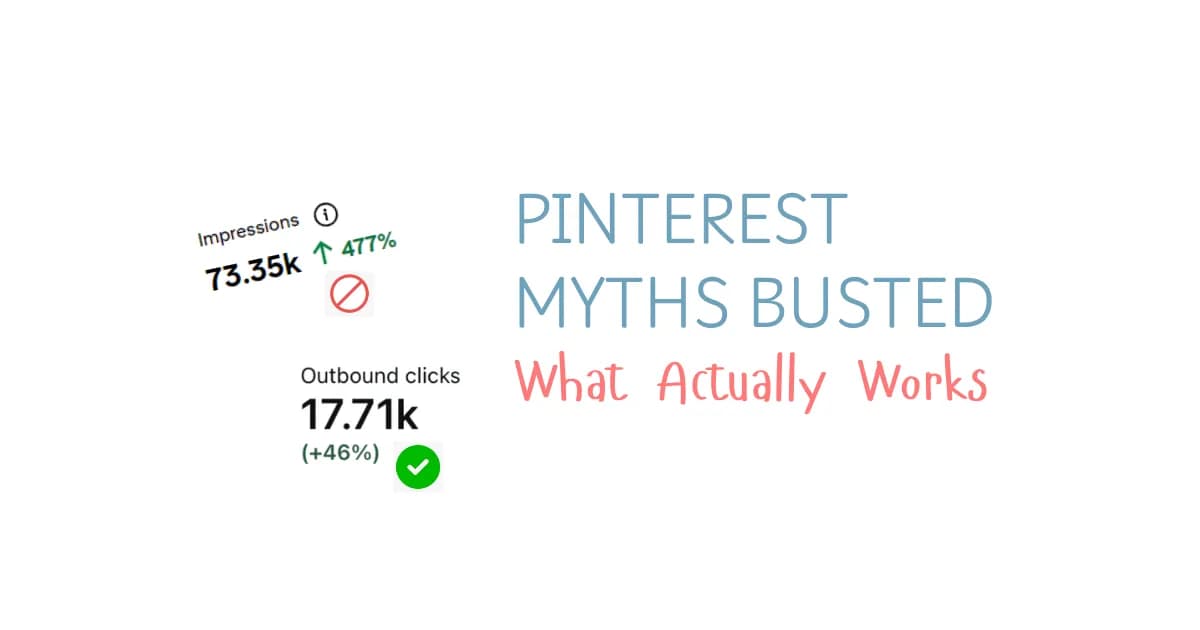
Myth #14: Impressions Are the Same as Website Traffic
Reality: I care about clicks, not just how many people saw a pin.
Impressions can tell you that your content is being shown. But if your goal is to drive visitors to a blog, you need to pay attention to what happens after that.
A pin can receive impressions without generating many website visits.
That’s why I look at click-through rate (CTR) alongside the actual clicks.
CTR measures the proportion of impressions that result in clicks.
What is a good Pinterest CTR?
These are the general benchmarks I use as a starting point, not universal rules for every niche.
| CTR | How I interpret it |
| Below 0.5% | Low; review the pin design, headline, and keyword match |
| 0.5%–1.5% | Average range |
| Above 1.5% | Strong |
| 3%–5% | Top-tier range in the examples I’m working from |
Your niche, audience, topic, and pin design can all affect performance, so don’t panic if one pin falls below a particular benchmark.
Look for patterns across your content.
How I would improve a low CTR
Make the headline clearer.
People should understand what the pin offers without having to work for it.
Give people a reason to click.
A curiosity-driven headline can help, as long as it accurately represents the content.
Improve the visual.
Your image and text should work together. The design should communicate the topic instead of making the reader guess.
Use a relevant call to action.
You can test phrases such as “Click to read” or “See the full list” when they fit the content.
Test different designs.
Try different headlines, layouts, and visual approaches. If one variation performs better, create more content using that direction.
The important part is to learn from your results instead of treating every pin as a completely new experiment.
Myth #15: You Should Delete Every Old Board or Underperforming Pin
Reality: I don’t recommend mass-deleting content just because it isn’t performing perfectly.
Sometimes your account has old boards that no longer fit your niche.
Maybe you used Pinterest personally before starting a blog. Maybe your interests changed. Maybe you’ve started a new content strategy.
That doesn’t automatically mean you need to delete everything.
I would review the content and decide what actually needs changing.
When I would clean up an account
Consider archiving boards that are completely unrelated to your current brand.
Hide individual pins if you no longer want them publicly visible.
Rename boards and update descriptions when the topics are still relevant but the organization needs work.
Remove content that is misleading, low-quality, or violates Pinterest’s rules.
What I would avoid is mass deletion without a clear reason. It can disrupt your historical data and isn’t a substitute for improving your strategy.
A more organized account is useful, but you don’t need to rebuild everything from scratch every time you change your mind.
Myth #16: Hashtags Are Still Essential for Pinterest SEO
Reality: I focus on keywords and topic relevance instead.
Hashtags used to play a role in Pinterest content, but they’re no longer necessary for the strategy outlined here.
Instead, I focus on:
- Pin titles.
- Pin descriptions.
- Board names.
- Board descriptions.
- Relevant keywords.
- Alt text and file names when uploading manually.
- Pinterest Annotations.
The goal is to make the content’s subject clear without stuffing every field with repetitive keywords.
For example, if your article is about small bathroom organization, use relevant variations naturally throughout the pin and board information.
You don’t need to add a long list of hashtags to make the topic obvious.
Myth #17: You Can Ignore Website Claiming
Reality: Claiming your website is one of the first things I’d do.
If you’re using Pinterest to send people to your blog, your website should be connected to your account properly.
Claiming your domain helps Pinterest identify the website you own and gives you access to site-related pin analytics.
It also helps connect your branding to your pins.
You can claim your website by following Pinterest’s verification instructions, such as adding a meta tag or using the available HTML verification method.
If you’re using WordPress, you can insert the verification tag using an appropriate method or plugin.
I wouldn’t leave this until later.
Set up your business account, complete your profile, claim your domain, and then start building out your pinning strategy.
Myth #18: You Need a Blog to Make Money on Pinterest
Reality: You can promote other destinations, but a blog gives you an asset you control.
You can use Pinterest without owning a blog.
Depending on your goals, you can promote affiliate links, product listings, Etsy listings, YouTube videos, or lead magnets.
But if my goal is to build a long-term business around Pinterest traffic, I prefer having a website.
Why?
Because my website gives the traffic somewhere useful to go, and it gives me multiple ways to monetize the audience.
I can publish articles, add affiliate links, display ads, build an email list, and eventually create digital products.
Instead of relying entirely on a pin or an external platform, I’m building a content library that can continue supporting the business.
That is a much more interesting goal than collecting impressions for the sake of it.
Myth #19: Pinterest Traffic Cannot Become a Real Business
Reality: I see Pinterest as a way to build traffic around a blog that can generate income.
This is where everything comes together.
I don’t want to spend months creating pins just to watch my impression numbers go up.
I want the pins to bring people to useful content, and I want that content to support a business model.
The basic process looks like this:
- Choose a niche with Pinterest-friendly content opportunities.
- Build a WordPress website.
- Create useful, search-focused blog posts.
- Promote those articles with fresh Pinterest pins.
- Track clicks and identify what performs well.
- Monetize the traffic.
- Keep improving and expanding the content library.
Once the website generates consistent income, you have more options.
You can continue growing it, improve your processes, automate parts of your workflow, or explore selling the site.
The important distinction is that you’re not just creating social content. You’re building a website with content and monetization potential.
Myth #20: Pinterest Group Boards Don’t Work Anymore
Pinterest group boards have been a topic of debate for years.
I’ve seen people say they’re no longer worth the effort, while others still find them useful for getting their content in front of more people.
Personally, I wouldn’t dismiss group boards completely.
I’ve continued to see value in using a few relevant group boards as part of my Pinterest strategy, particularly those that are established, active, and closely related to the content I’m sharing.
But before we go any further, let’s quickly cover what group boards actually are.
What Are Pinterest Group Boards?
A Pinterest group board is a board that multiple people can contribute pins to.
Depending on the board, you may need to request an invitation or receive an invitation from someone who manages it.
Finding the right boards can take some effort. Some are easy to join, while others are more difficult to access.
However, I don’t think that means you should automatically rule them out.
Why I Still Consider Group Boards Worth Testing
The biggest thing I’ve learned is that not all group boards are created equally.
I’m not talking about joining every group board you can find and pinning your content everywhere.
Instead, I’d focus on finding a few boards that meet these criteria:
- Relevant to your niche: The board should closely match the content you’re sharing.
- Active: Look for boards where contributors are still sharing content.
- Established: Prioritize boards that have been used consistently rather than joining random boards without considering their relevance.
- Useful for your audience: Your pins should make sense alongside the other content being shared on the board.
For example, if you’re a food blogger, a relevant recipe group board makes much more sense than a board dedicated to an unrelated topic.
The point is to be selective.
I’ve found that a few relevant group boards can continue to bring outbound clicks to my blog, which is why I still include them in my strategy.
Of course, results will vary depending on your account, niche, and the boards you use. What works for one blogger may not work the same way for someone else.
That’s why I think it’s worth testing relevant group boards rather than assuming they are all useless.
My takeaway: Group boards aren’t automatically a waste of time. Focus on relevance, activity, and whether they actually help you get your content in front of the right audience.
Myth #22: Pretty Pinterest Pins Are All That Matter
Let’s talk about pin design.
If you’ve spent time on Pinterest, you already know how important visual appeal can be. Attractive pins can help your content stand out, and I definitely wouldn’t ignore the design.
But there’s a difference between making a beautiful pin and making a pin that’s optimized for search.
A pretty pin isn’t enough if the keywords and messaging don’t match what people are searching for.
I think this is where bloggers can sometimes spend too much time on design while overlooking the other elements that help communicate what their content is about.
Pinterest Pin Design and SEO Need to Work Together
When I create pins, I want to think about both the visual design and the search optimization.
That means paying attention to:
- The pin design: Is it visually appealing and easy to understand?
- The text overlay: Does it clearly communicate the topic?
- The pin title: Does it include relevant keywords?
- The pin description: Does it accurately describe the content and support the topic?
- The keyword research: Does the wording reflect what people are searching for?
These elements shouldn’t be treated as separate tasks that have nothing to do with one another.
They should work together to communicate the same topic.
For example, if your blog post answers a specific question, your pin should make that topic clear rather than using a vague text overlay that looks nice but doesn’t explain what the reader will find.
You want someone looking at the pin to understand what the content is about.
At the same time, the title and description should support that same subject through relevant keywords.
How I Would Approach Creating a New Pinterest Pin
Rather than starting with a design and trying to figure out the keywords afterward, I’d begin by understanding the content and its search intent.
Here’s the order I’d follow:
- Start with a useful blog post that answers a specific topic or question.
- Research relevant keywords using Pinterest.
- Identify the main topic you want the pin to communicate.
- Create a visually appealing pin around that topic.
- Write a clear title that includes relevant keywords.
- Write a description that accurately reflects the content.
- Make sure the text overlay, title, and description all align.
This helps me avoid creating pins that are visually attractive but don’t communicate the topic clearly.
You don’t have to choose between a pretty pin and an SEO-friendly pin. You can work toward both.
My takeaway: Pin design matters, but it shouldn’t replace Pinterest keyword research. A strong pin combines visual appeal, relevant keywords, a clear title, and a description that matches the content.
Myth #4: You Should Constantly Repin Your Own Pins
Repinning is another topic where I’ve seen plenty of conflicting advice.
Some strategies encourage bloggers to repin their own content frequently, but I don’t think repinning should happen without a plan.
I’m not saying you should never repin your own pins. I simply think it’s worth being more intentional about how often you do it and which boards you choose.
My Pinterest Repinning Strategy
One personal rule I use is to repin a new pin no more than four times in total.
This is my own approach, not a universal rule that every Pinterest account needs to follow.
A brand-new account may need a different strategy from a more established account, so I’d encourage you to consider your own situation rather than copying someone else’s schedule exactly.
Here’s how I approach it.
Step 1: Publish a fresh pin.
First, I publish a new pin for my blog content.
I want the pin to be relevant to the blog post and optimized with the appropriate keywords before I start thinking about repinning it.
Step 2: Repin it to a relevant board after 1–2 days.
After the new pin has been published, I usually wait around one to two days before repinning it.
I often choose a relevant group board first because it gives the pin an opportunity to reach the audience of the board’s collaborators.
That doesn’t guarantee more clicks, but it’s one reason I like testing this approach with the group boards that work for my content.
Step 3: Repin it to one of my own relevant boards.
After another one to two days, I repin the pin to one of my own boards that closely matches the topic.
Relevance matters here. I wouldn’t choose a board simply because I want to distribute the pin somewhere else.
The board should make sense for the content.
Step 4: Complete the remaining repins strategically.
Over the next few days, I repin the content to two additional relevant boards, bringing the total number of placements to four, including the original publication.
I also make sure to space out those repins rather than publishing every placement at once.
Here’s a simple overview of the approach:
| Timing | Action |
| Day 1 | Publish a fresh pin |
| Day 2–3 | Repin to a relevant group board |
| Day 3–5 | Repin to one of your own relevant boards |
| Following days | Repin to two additional relevant boards, spaced out |
These are approximate intervals rather than a strict schedule you must follow.
The important part is that I’m not repeatedly repinning the same content without thinking about the timing or board relevance.
Why I Prefer a Planned Repinning Strategy
For me, having a clear limit makes it easier to stay focused on the quality of my pins rather than spending too much time redistributing the same content.
It also helps me think more carefully about where each pin belongs.
Instead of asking, “How many times can I repin this?” I ask, “Which relevant board makes the most sense for this pin?”
That is a much more useful way to approach repinning.
My takeaway: You don’t necessarily need to stop repinning your own content, but you should have a strategy. Space out your repins, choose relevant boards, and adjust your approach based on your account.
The Pinterest Strategy I Would Actually Follow in 2026
Enough myths. Let’s put the pieces together.
If I were building a Pinterest-focused blog from scratch, this is the process I’d follow.
Step 1: Choose one niche and commit to it
Don’t jump between recipes, travel, home decor, and productivity every time you see someone else succeeding.
Choose a niche that has clear Pinterest demand, enough content opportunities, and a realistic monetization path.
I want at least 100 article ideas before committing to a content plan.
For example, if I chose recipes, I could organize the site around beginner recipes, easy dinners, desserts, meal prep, budget meals, and family meals.
That gives me a much clearer direction than publishing whatever comes to mind that day.
Step 2: Build a simple WordPress website
You don’t need to spend weeks making your website perfect.
My suggested starting setup is:
- Website platform: WordPress.
- Hosting: Hostinger.
- Theme: Kadence.
- Essential pages: Home, About, Contact, and Blog.
Keep the design clean and functional.
Don’t spend days changing fonts and colors while your blog has five articles and no Pinterest strategy.
Your priority is creating useful content and making it easy for visitors to navigate the site.
Step 3: Plan your blog categories and article ideas
Use AI to create a structured content plan around your niche.
I would start with five to seven categories, then develop article ideas under each category.
Every article should have a clear purpose and fit somewhere in the site’s overall structure.
This also makes Pinterest easier because each content category can become a matching board.
The result is a blog and Pinterest account that reinforce the same topics rather than competing with each other.
Step 4: Create content in batches
There are two approaches I’d consider.
Option A: Slow and steady
Create around five blog posts per day, then make pins for those posts.
This works if you prefer a consistent daily routine.
Option B: Batch first, promote later
Create 50–100 blog posts in a batch, then spend the following weeks creating pins and promoting them.
Personally, I like the second approach because I prefer focusing on one type of work at a time.
But neither method is mandatory.
Pick the one that fits your resources and helps you maintain quality.
Step 5: Set up your Pinterest business account
Create a business account, upload your logo or brand image, optimize your display name and bio, and claim your website.
Then create your initial boards.
You can begin with three to five relevant boards and expand toward ten to fifteen as your content library grows.
Make sure your first boards match the main categories on your website.
Step 6: Optimize your boards
Use clear, keyword-rich board names.
Write useful descriptions that include the main topic and related keywords.
Keep the boards relevant to your niche and organize your pins accordingly.
If you’re researching Pinterest Annotations, PinClicks can help you investigate those topic associations.
This is the stage where I want Pinterest to have a clear picture of what my account covers.
Step 7: Start pinning gradually
For a brand-new account, I recommend starting with around five pins a day and gradually working toward five to ten daily pins during the first two to four weeks.
Avoid flooding the account with repetitive pins.
Spread your content across relevant boards and different URLs.
Once the account has history and your workflow is producing enough fresh content, you can gradually increase your daily volume toward 25–30+ pins.
The objective is to build momentum without sacrificing relevance.
Step 8: Create fresh pins for your blog posts
Use Canva or Ideogram to create visual designs.
Write clear headlines that match the article and give people a reason to click.
Create different variations for relevant keyword angles, but avoid uploading near-identical versions all at once.
Wait at least a week before promoting the same URL again, and consider spacing variations seven to ten days apart.
This gives you a more organized approach to distributing your content over time.
Step 9: Monitor clicks and CTR
Don’t judge your strategy by impressions alone.
Pay attention to outbound clicks and click-through rate.
If a pin is getting impressions but few clicks, review the headline, visual, and relevance of the keyword.
If a particular topic or design consistently generates clicks, use that information to guide your next batch of pins.
The idea is to build on what works instead of starting from zero every time you create something.
Step 10: Keep publishing
This is the part nobody wants to hear when they’re looking for an overnight result.
You need enough relevant content for Pinterest to have something to distribute.
You need enough fresh pins to promote that content.
And you need to give the strategy time to develop.
I would plan for months of consistent work rather than expecting a new account to produce significant traffic in a few weeks.
If you start getting clicks, keep improving. If a particular approach isn’t working, investigate the problem before abandoning the entire business model.
How to Turn Pinterest Traffic Into Blog Income
Getting traffic is great. Making money from that traffic is the next step.
There are several ways I would consider monetizing a Pinterest-focused blog.
1. Display ads
Display ads allow you to monetize website traffic.
One network to investigate is Journey by Mediavine. Other options mentioned in my strategy include Ezoic, Monumetric, SHE Media, Raptive, and Google AdSense.
Eligibility requirements and approval decisions can differ, so don’t build your entire business plan around assuming you’ll be accepted by a particular network.
I would focus first on building useful content and attracting traffic, then investigate the network that fits the site.
2. Affiliate marketing
Affiliate links allow you to earn commissions when readers purchase through your links under the applicable program terms.
You can start by investigating Amazon Associates and other programs relevant to your niche.
For example, a food blog could feature relevant kitchen tools, cookbooks, and cooking equipment.
A home organization blog could recommend useful storage products.
The important part is relevance. Your affiliate offers should fit the content and the audience.
3. Digital products
Digital products give you another way to monetize your content.
Depending on your niche, you could create:
- Printable planners.
- Templates.
- Ebooks.
- Recipe collections.
- Checklists.
- Courses.
- Beginner guides.
- Meal-planning resources.
A recipe blog could sell meal planners or digital cookbooks. A productivity blog could offer templates and printable planning resources.
You don’t need to create every product immediately.
Start by building content around your niche and identifying relevant products you can develop over time.
4. Email list building
You can also use Pinterest to promote free resources that encourage readers to join your email list.
Examples include:
- A printable checklist.
- A beginner’s guide.
- A free planner.
- A downloadable template.
- A short recipe collection.
- A niche-specific resource pack.
Once people join your list, you have another way to communicate with your audience and promote relevant products.
This gives your content more monetization possibilities than relying on display ads alone.
5. Selling the blog
This is the longer-term opportunity behind building a digital asset.
If your blog develops consistent income, you may eventually decide to keep growing it or explore selling it.
Flippa and Motion Invest are examples of platforms to investigate for this purpose.
A rough valuation example used in this strategy is 30 times monthly profit. Under that assumption, a site earning $1,000 per month would have an illustrative value of $30,000.
That’s an example, not a guaranteed sale price. Actual valuations depend on the site and the deal.
Still, it shows why I think of a blog as more than a collection of articles.
You’re building something that can generate income and potentially have value beyond its monthly earnings.
Pinterest Troubleshooting: What to Do When Growth Stalls
Sometimes your account won’t perform the way you expect.
That doesn’t automatically mean you’re doing everything wrong.
Before changing your entire strategy, look at the specific problem.
My impressions suddenly dropped
Review your recent posting activity and the relevance of your content.
Consider whether you’ve been publishing repetitive pins, posting too aggressively, or sharing content that doesn’t fit your niche.
If the drop is dramatic, investigate further instead of assuming you know the cause.
My pins aren’t generating clicks
Review your pin designs, headlines, and keyword match.
Make sure the pin clearly communicates what the linked article offers.
Test new variations and look for patterns in the pins that generate more engagement.
My new account isn’t getting traffic
Give the account time.
Make sure the profile is complete, your website is claimed, your boards are relevant, and you’re publishing consistently.
Also review your content plan. Are you targeting useful topics that people might actually search for, or are you creating articles based on guesswork?
How do I know if my account is shadowbanned?
Pinterest doesn’t provide an official shadowban message in the strategy described here, so I’d treat these signs as reasons to investigate rather than definitive proof.
Possible warning signs include:
- Impressions suddenly dropping to nearly zero.
- Pins no longer appearing for relevant keywords.
- Pins being difficult to find even when searching the exact title.
If you suspect an issue, slow down your activity, review your pins for potential guideline violations, and contact Pinterest Customer Support to investigate.
Don’t immediately create multiple new accounts or keep increasing your posting volume in an attempt to fix it.
Should I delete all my old pins?
No.
Review them individually and make changes where necessary.
Archive irrelevant boards, hide specific pins if needed, and update board names and descriptions when that makes sense.
Avoid mass deletion without a clear reason.
Pinterest Myths Busted: My Final Checklist
If you want a simple summary of what I would focus on, save this checklist.
- Choose one niche with clear Pinterest content opportunities.
- Make sure the niche has enough ideas for at least 100 articles.
- Build a simple WordPress website.
- Create clear blog categories and a content plan.
- Use AI to speed up research, outlines, drafts, and content production.
- Create a Pinterest business account.
- Optimize your display name, bio, and profile image.
- Claim your website.
- Build relevant boards with keyword-rich titles and descriptions.
- Research topics using Pinterest and competitor accounts.
- Start pinning gradually instead of flooding a new account.
- Create fresh pin designs for relevant keywords.
- Space out promotions of the same URL.
- Monitor outbound clicks and CTR, not just impressions.
- Improve the pins and topics that perform well.
- Keep publishing useful content.
- Build toward display ads, affiliate links, digital products, and email list growth.
- Give the strategy enough time to develop before deciding it has failed.
Final Thoughts
Pinterest doesn’t need to be complicated.
You don’t need to chase every new hack, buy an old account at any cost, or spend hours trying to discover the perfect time to publish a pin.
You need a clear niche, helpful content, relevant keywords, fresh pin designs, and a routine you can maintain.
And if your goal is to make money, you need to think beyond Pinterest itself.
Build the blog. Create content people want to read. Use Pinterest to help them discover it. Then give that traffic somewhere useful to go, whether that’s an article with relevant affiliate links, a page monetized with display ads, or a digital product that solves a problem.
That’s the bigger picture.
I would rather spend my time building a content library that can keep working for my business than constantly looking for a shortcut that might stop working next week.
Consistency beats hacks. Useful content beats random posting. And a well-planned blog gives your Pinterest traffic somewhere to go.
Start with the basics, keep improving, and build something that has value beyond your next pin.
Happy pinning!