
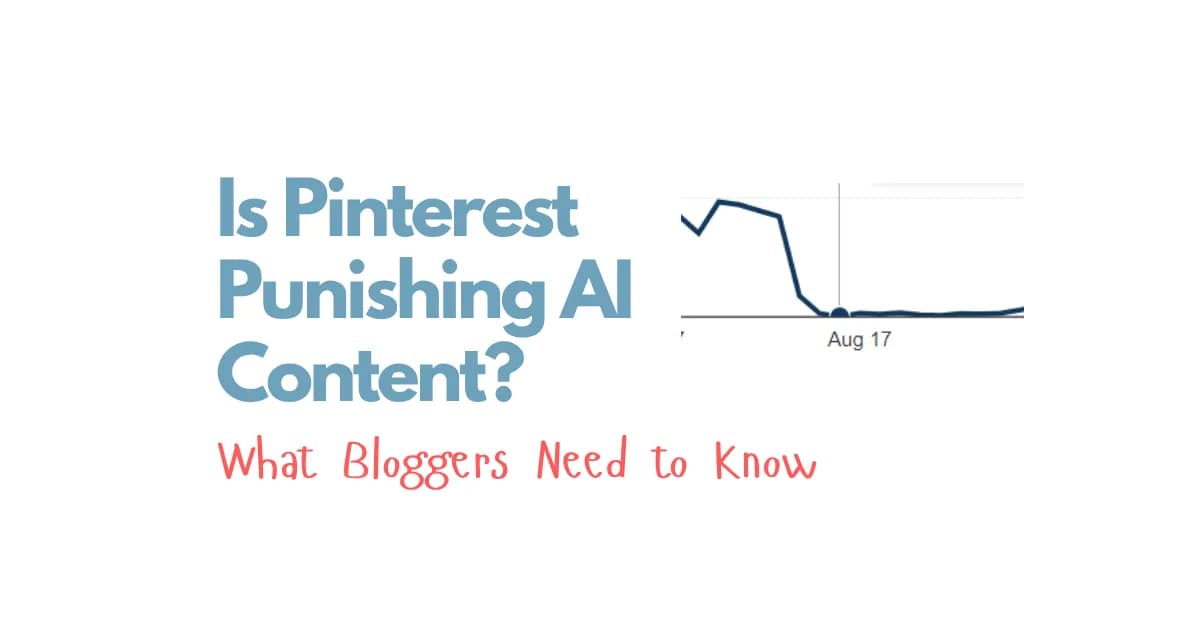
Have you noticed your Pinterest traffic dropping lately and started wondering if Pinterest is punishing AI-generated content?
You’re not alone! With so many bloggers using AI to create articles, images, and Pinterest pins, it’s easy to worry that Pinterest might be changing its algorithm to push AI content out of the platform.
And honestly, I understand why people are concerned. Seeing your traffic drop from thousands of clicks a day to just a few hundred is frustrating, especially when you’ve spent so much time building your website.
But here’s what I’ve noticed from working with AI and growing websites through Pinterest: I don’t believe Pinterest hates AI content. I believe the bigger problem is low-quality content.
I’ve seen AI-powered websites continue to grow while other websites experience significant traffic drops. This makes me think the situation is more complicated than simply blaming AI.
In this article, I’m going to share my thoughts on Pinterest AI content, why some websites are losing traffic, what makes AI-generated content worth clicking on, and how I’d approach Pinterest moving forward.
If you’re using AI to grow a blog and want to keep driving traffic from Pinterest, let’s dive in!
Does Pinterest Punish AI Content?
No, I don’t believe Pinterest Punishes AI content. I believe it has a bigger problem with low-quality content that creates a poor user experience.
I’ve been using AI for different parts of my content creation process, including writing articles, generating images, and creating Pinterest pins. From what I’ve observed, AI can still be part of a Pinterest strategy that generates consistent traffic.
Of course, that doesn’t mean every AI website will succeed. Some websites experience traffic drops, while others continue to grow.
For example, I’ve seen websites that previously received around 2,000 clicks per day fall to approximately 100–200 clicks per day. That’s a huge difference, and I can understand why someone experiencing that would assume Pinterest is targeting AI content.
However, I’ve also seen the opposite.
One of my AI-driven accounts was receiving around 500 clicks per day in March before growing to more than 1,000 clicks per day on average. Another example is an AI food website filled with recipes and AI-generated photos that continues to receive daily clicks and grow.
I’ve also seen an account generate more than 6 million impressions and 86,000 clicks over 90 days.
These examples don’t mean every AI website is safe from traffic fluctuations. But they do show why I wouldn’t automatically assume that AI content itself is the problem whenever Pinterest traffic drops.
My biggest takeaway is simple: AI is not a substitute for quality, but it can help you create quality content more efficiently.
The question isn’t just whether you’re using AI. It’s whether the content you’re publishing gives people a reason to click, read, save, and return.
Why Are Some AI Websites Losing Pinterest Traffic?
When Pinterest traffic suddenly drops, it’s tempting to look for one simple explanation.
Maybe Pinterest hates AI. Maybe the algorithm has changed. Maybe AI-generated images are no longer working.
But I wouldn’t jump to that conclusion without looking at the bigger picture.
I’ve noticed that some of the traffic fluctuations people discuss involve food bloggers and websites publishing AI-generated food content. When a website loses a significant amount of traffic, it naturally raises questions about what’s happening.
However, other AI-powered websites continue to generate clicks.
This is why I think we need to look beyond the fact that a website uses AI and consider the quality of the entire experience.
1. AI Has Made It Easier to Publish Huge Amounts of Content
One of the biggest advantages of AI is that it can help us create content much faster.
Instead of spending days writing a single article, I can use AI to speed up the process. I can also use it to help generate images and create Pinterest pins.
That’s a huge opportunity for bloggers who want to grow their websites.
But there’s another side to this.
AI has also made it much easier for people to publish thousands of articles, generate thousands of images, and create huge numbers of Pinterest pins without paying enough attention to quality.
When content is produced mainly to increase publishing volume, the result can be a website full of generic articles, repetitive ideas, and images that don’t look realistic.
And if a reader clicks on a pin expecting something useful but lands on a disappointing article, the experience isn’t great.
This is why I don’t think publishing more content should automatically be the goal.
Creating more content is helpful only when you’re maintaining the quality of that content.
2. Generic Articles Don’t Give Readers Enough Value
Think about the last time you clicked on a pin because the image looked interesting.
You probably expected the article to deliver what the pin promised.
If you clicked on a recipe pin, you’d expect a useful recipe. If you clicked on a fashion pin, you’d expect outfit inspiration. If you clicked on a hairstyle pin, you’d expect ideas that actually match what you saw.
Now imagine landing on an article that feels generic, has disappointing images, and doesn’t provide the information you wanted.
That’s not the experience I’d want to create for my own readers.
AI can generate an article quickly, but that doesn’t automatically make the article helpful, engaging, or worth reading.
I want my content to do more than fill up my website. I want it to give people something useful.
3. A Beautiful Pin Isn’t Enough
Let’s be honest. Pinterest is a visual platform, so the appearance of your pins matters.
If your pin looks unattractive or the image doesn’t communicate the idea clearly, people may not want to click on it.
But even a beautiful pin can’t make up for a disappointing article.
Your pin might attract attention, but the page people land on still needs to deliver a good experience.
That’s why I look at Pinterest content as a complete process rather than treating the pin as the only thing that matters.
You need an attractive pin, a relevant article, good images, readable content, and a website that loads quickly.
When these elements work together, you’re creating a much better experience for your audience.
Is AI-Generated Content Still Working on Pinterest?
Yes, based on what I’ve observed, AI-generated content can still generate Pinterest traffic.
I’ve seen AI-driven websites continue to grow, including websites that use AI-generated images for food content.
I’ve also seen examples of other bloggers building traffic with AI-assisted content.
For example, someone in a blogging community started a home decor blog in July, published their first pin in August, and reached 50,000 outbound clicks per month after being monetized in February.
Another blogger in the travel niche was accepted into Journey by Mediavine while continuing to grow their website.
These examples are encouraging because they show that using AI doesn’t automatically prevent a website from attracting traffic or building a business.
However, I wouldn’t treat these results as a guarantee. Every website is different, and not every AI-generated article or Pinterest pin will perform well.
What matters to me is understanding what these examples suggest: you can use AI as part of your content creation process without making low-quality content your strategy.
Can You Still Build a Blog With AI and Pinterest?
I believe you can.
AI can help with different parts of running a blog, from creating articles to generating images and producing pins.
This can make the content creation process faster and allow you to focus more of your time on improving the final result.
But I wouldn’t build my entire strategy around publishing as much content as possible.
Instead, I’d focus on creating articles people actually want to read, choosing relevant keywords, generating attractive images, and designing pins that accurately represent the content.
The goal isn’t simply to publish hundreds of articles.
The goal is to create content that has a reason to exist.
Why Pinterest Cares More About Content Quality Than AI
Let’s look at this from Pinterest’s perspective.
Imagine someone clicks on a pin and lands on a website.
If the article is helpful, the images are good, and the reader finds what they were looking for, that’s a positive experience.
Now imagine the opposite. Someone clicks on a pin, lands on a slow website, sees poor-quality images, and struggles to find useful information.
That’s a disappointing experience.
In my opinion, this is the important distinction.
I don’t think the main question should be whether an article was written by a human or generated with AI. I’d rather ask whether the finished article is actually useful to the person reading it.
Whether you write an article yourself or use AI to help create it, the outcome still matters.
Does the content deliver on the promise of the pin? Are the images good? Is the article easy to read? Does the reader find what they came for?
These are the questions I’d focus on when reviewing my own website.
Quality Versus Quantity on Pinterest
A few years ago, it might have felt easier to focus on publishing large amounts of content and creating lots of pins.
For example, you could create hundreds of recipes, generate pins for them, and hope to earn advertising revenue from the traffic.
But I don’t think that approach should be the priority anymore.
With so many creators producing articles, images, and pins, I believe it’s increasingly important to give people a reason to choose your content.
Publishing 50 articles isn’t automatically better than publishing five.
If those 50 articles are repetitive, generic, and poorly illustrated, the extra volume doesn’t necessarily make them more valuable.
On the other hand, if you can consistently create a large amount of genuinely useful, high-quality content, AI can help you do that more efficiently.
For me, the priority is clear: quality first, quantity second.
What Makes Low-Quality AI Content a Problem?
AI itself isn’t the only thing to consider. It’s how people use it.
When content creation becomes extremely fast, it’s easy to focus on the number of articles you can publish instead of the value each article provides.
Here are the main issues I’d pay attention to.
1. Repetitive and Generic Articles
AI can help generate articles quickly, but speed shouldn’t come at the expense of usefulness.
If an article contains generic information and doesn’t give readers what they’re looking for, publishing more of the same content won’t solve the problem.
I want every article to have a clear purpose and deliver on the topic it promises to cover.
2. Poor-Quality AI Images
Images can make a big difference, especially when you’re creating content for Pinterest.
An image might look attractive at first glance but still appear artificial or unrealistic when you look more closely.
This is particularly important for niches such as food, fashion, and hairstyles, where readers expect the images to represent the ideas accurately and naturally.
For example, if I’m creating a food article, I want the recipe images to look appealing and realistic. If I’m creating fashion content, I want outfit images that feel natural enough to inspire someone to save the pin.
Simply generating an image isn’t enough. The final image needs to meet the standard I’d want for my website.
3. Pins That Don’t Match the Article
Your pin and article should work together.
If your pin creates an expectation that the article doesn’t meet, readers may feel disappointed.
I want the image, headline, and article to communicate the same idea.
A good-looking pin should attract the right audience, while the article should deliver the information or inspiration that audience expects.
4. A Poor Website Experience
The quality of your article is only one part of the experience.
I’d also look at how quickly the website loads, whether the images display properly, and whether the article is easy to read.
If someone clicks on a pin and struggles to use the website, even an interesting topic can become frustrating.
That’s why I wouldn’t focus exclusively on Pinterest impressions or pin design. I’d also look at the experience people have after clicking through to my website.
How to Create High-Quality AI Content for Pinterest
If you’re using AI to create blog content, you don’t necessarily need to stop.
Instead, I’d focus on improving the quality of what you’re publishing.
Here are the areas I’d prioritize.
1. Use AI to Help Create Better Articles
I use AI to speed up the content creation process, but the goal isn’t simply to generate an article and publish it without thinking about the result.
I want the finished article to be useful, relevant, and easy to read.
That means choosing the right topic, using prompts that help produce the type of content I want, and paying attention to the quality of the final article.
For example, if I’m creating a recipe article, I want the content to focus on that recipe rather than filling the page with generic information that doesn’t help the reader.
If I’m creating a fashion article, I want the ideas and images to work together to give readers the inspiration they came for.
The same principle applies to every niche.
AI should help me create content more efficiently, not give me a reason to lower my standards.
2. Focus on High-Quality Images
This is one of the most important areas I’d prioritize.
Pinterest is highly visual, and images play a major role in how people discover and interact with content.
I want my images to look natural, attractive, and relevant to the article.
For example, I’ve used AI-generated hairstyle images that look realistic and natural. For fashion content, I like the appearance of selfie-style images because they can create a more natural, visually appealing look.
For food content, I want images that make the recipe look appetizing without appearing obviously artificial.
The exact image model or tool matters less to me than the final result.
Don’t settle for an image just because AI generated it. Choose images that genuinely improve your article and make your pins more appealing.
3. Make Your Pinterest Pins Attractive
Your images and pin design still matter.
Even a helpful article needs an appealing way to attract attention on Pinterest.
When creating pins, I’d consider whether the image looks good, whether the topic is clear, and whether the pin accurately represents the destination article.
The goal isn’t just to make something visually attractive. It’s to create a pin that attracts people who are genuinely interested in the content.
A beautiful image paired with a relevant topic can make your content more appealing to potential readers.
4. Improve Your Website’s User Experience
Don’t forget what happens after someone clicks on your pin.
I’d review my website and ask myself a few questions:
- Does my website load quickly?
- Are my images high-quality and relevant?
- Is my article easy to read?
- Does the content deliver what the pin promises?
- Can readers find the information they came for?
These questions help me look beyond the number of pins I’m publishing and focus on the overall experience.
A strong Pinterest strategy shouldn’t end when someone clicks on a pin. The article they land on matters, too.
5. Pay Attention to Keyword Targeting
Creating great content is important, but you also need to think about the topics you’re targeting.
I wouldn’t focus only on generating articles and pins in bulk. I’d pay attention to keyword targeting and whether the content matches what people are looking for.
For example, if I’m creating a recipe article, I want the topic and images to match the recipe I’m presenting.
If I’m creating fashion or hairstyle content, I want the article to focus on the specific inspiration the pin promises.
The goal is to create a clear connection between the topic, the pin, and the article.
How to Improve Your AI-Generated Pinterest Pins
If you’re creating Pinterest pins with AI, I wouldn’t assume that generating more pins is automatically the best solution.
I’d start by looking at the quality of the pins I’m already producing.
Choose Images That Look Natural
One of the things I pay attention to is whether an image looks realistic.
AI-generated images can look attractive, but some also have an artificial appearance that makes them less appealing.
For fashion content, I like images that feel natural and look like something a person might genuinely save to a Pinterest board.
For food content, I want the finished dish to look appetizing and realistic.
For hairstyle content, I want the hairstyle to be easy to see and the overall image to look natural.
The image should support the content rather than distract from it.
Make Sure the Pin Represents the Article
Before publishing a pin, I’d check whether it accurately reflects the article.
If the pin promises outfit ideas, the article should provide outfit inspiration. If it promotes a recipe, the article should focus on that recipe.
This sounds simple, but it’s an important part of creating a consistent experience.
The more closely the pin and article match, the clearer the value is for someone deciding whether to click.
Don’t Confuse More Pins With Better Results
AI makes it easier to produce pins quickly, but that doesn’t mean every generated pin deserves to be published.
I’d rather focus on creating attractive, relevant pins than spend all my time increasing the number of pins I produce.
You can still use AI to scale your workflow. The important thing is to keep the quality of your output high.
Why AI-Generated Images Matter for Pinterest Traffic
When I look at AI content for Pinterest, I don’t think we should talk only about writing.
Images are another major part of the process.
You can have an interesting article, but if the images are poor, the overall presentation may suffer.
This matters particularly for visual niches such as food, fashion, and hairstyles.
AI Images for Food Blogs
For a food blog, I want images that make the recipe look appealing and realistic.
A recipe article might contain useful information, but its images still influence how attractive the content looks on Pinterest.
That’s why I pay attention to the quality of the final images instead of simply generating as many as possible.
AI Images for Fashion Blogs
Fashion is another niche where I think natural-looking images can work well.
I particularly like the look of selfie-style images because they can feel natural and visually appealing.
When someone sees an outfit idea on Pinterest, the image should make the idea easy to understand and inspire them to save it for later.
AI Images for Hairstyle Content
Hairstyle articles are another example of how image quality can make a difference.
I want the hairstyle to look clear, realistic, and visually appealing.
If I’m using AI to generate images for this type of article, I’d focus on the quality of the final image rather than the number of images I can produce.
Across all these niches, my approach is the same: use AI to help with the process, but don’t compromise on the result.
How to Use AI for Pinterest Without Sacrificing Quality
I don’t think bloggers need to choose between AI and quality.
You can use AI to create articles, images, and pins while still being selective about what you publish.
Here’s how I’d approach the process.
Step 1: Start With a Clear Content Topic
Before generating an article, I’d make sure the topic is clear.
I want to know what the article is about, who it’s intended to help, and what the reader should get from it.
This gives the content a clear direction instead of producing a generic article that could apply to almost anything.
Step 2: Use AI to Speed Up Content Creation
Once the topic is clear, AI can help with writing and image generation.
I can use it to make the process faster, but I still want to pay attention to the finished result.
The aim is to create useful content more efficiently, not to publish something simply because it took very little time to generate.
Step 3: Prioritize Image Quality
Next, I’d look at the images.
Are they realistic? Do they look attractive? Do they match the topic? Would I feel comfortable using them on my own website?
If the answer is no, I’d improve the images rather than publish them just to finish the article.
Step 4: Create Relevant Pinterest Pins
Once the article and images are ready, I’d create pins that represent the content accurately.
I want the design to be appealing and the topic to be clear.
The pin should give people a reason to click while setting the right expectation for the article.
Step 5: Review the Entire Experience
Finally, I’d look at the website itself.
I’d check the loading experience, the readability of the article, and the relevance and quality of the images.
This helps me focus on more than just how quickly I can publish content.
Ultimately, I want every part of the process to work together.
What Should Bloggers Do If Their Pinterest Traffic Drops?
If your Pinterest traffic has dropped recently, I know how tempting it can be to assume that AI is the reason.
But before changing your entire strategy, I’d take a step back and review the content you’re publishing.
A traffic drop doesn’t automatically prove that Pinterest is penalizing AI-generated content.
As I’ve discussed throughout this article, some AI-driven websites continue to grow even while others experience fluctuations.
Instead of immediately abandoning AI, I’d focus on the things I can improve.
1. Review Your Content Quality
Start by looking at your articles.
Are they genuinely useful? Are they easy to read? Do they answer the topic they’re supposed to cover?
If your content is generic or repetitive, focus on making it more valuable rather than simply producing more articles.
2. Review Your Images
Look closely at your AI-generated images.
Do they look realistic? Are they attractive enough for Pinterest? Do they accurately represent the content?
If the images look artificial or don’t match the article, I’d prioritize improving them.
3. Review Your Pins
Look at the quality of your pins and how clearly they communicate the topic.
Are the images appealing? Does the pin represent the article accurately?
I’d focus on creating better pins instead of assuming that a higher publishing volume will solve the problem.
4. Check Your Website Experience
Make sure your website loads quickly and that readers can easily navigate and read your content.
The experience shouldn’t stop at the pin. The article needs to meet the expectations created by it.
5. Improve Your Keyword Targeting
Finally, I’d look at whether my content targets relevant topics.
Instead of creating articles simply because AI makes them easy to produce, I’d focus on creating content that matches the subject of the pin and gives readers something useful.
You don’t necessarily need to stop using AI. You may need to rethink how you’re using it.
Does Pinterest Penalize AI-Generated Images?
I wouldn’t assume that Pinterest penalizes an image simply because it was generated with AI.
From my experience using AI to create images for food, fashion, and hairstyle content, I believe the more important consideration is the quality of the final image.
Does it look natural? Is it visually appealing? Does it represent the article accurately?
These are the things I’d focus on when deciding whether an image is ready to publish.
I also wouldn’t use the continued success of some AI websites as proof that every AI image will perform well. Results can vary, and the examples I’ve discussed don’t establish exactly how Pinterest evaluates every piece of content.
My practical approach is to use AI-generated images when they help me create better content, not simply because they allow me to produce images faster.
The goal is to create images people want to click on and content that gives them a good reason to stay.
Does Pinterest hate AI content?
I don’t believe Pinterest hates AI content. Based on what I’ve observed, AI-generated content can still attract traffic. I believe bloggers should focus on content quality, image quality, and the overall experience they create for readers rather than assuming that AI itself is the problem.
Can AI-generated content still rank on Pinterest?
AI-generated content can still generate Pinterest impressions and clicks, based on the examples I’ve seen. However, results vary between websites, and using AI doesn’t guarantee traffic. I would focus on creating useful articles, relevant pins, realistic images, and a good website experience.
Why is my AI blog losing Pinterest traffic?
A traffic drop doesn’t automatically mean Pinterest is targeting AI content. I’d review the quality of your articles, the appearance of your images, the relevance of your pins, your website experience, and your keyword targeting before assuming that AI is the cause.
Are AI-generated images good for Pinterest?
AI-generated images can be useful for Pinterest when they look natural, attractive, and relevant to the content. I use the same general principle across food, fashion, and hairstyle articles: the finished image should improve the article and make the pin more appealing.
Should I stop using AI for my Pinterest blog?
I wouldn’t stop using AI solely because of a traffic drop. AI can help with article writing, image generation, and pin creation. Instead, I’d evaluate the quality of the content you’re producing and improve the areas that need attention.
Is it better to publish more AI articles or focus on quality?
I’d prioritize quality. AI can help you create more content, but publishing more articles doesn’t automatically lead to better results. If you can maintain high quality while publishing at scale, that’s different from producing large amounts of generic content.
What is the most important thing when creating AI content for Pinterest?
For me, it’s the overall quality of the experience. The article should be useful, the images should look good, the pins should accurately represent the content, and the website should be easy to use. I wouldn’t focus on just one part of the process while ignoring everything else.
Final Thoughts: Pinterest Doesn’t Hate AI, It Hates Low-Quality Content
So, does Pinterest hate AI content?
My answer is no. I believe the bigger issue is low-quality content, not whether AI was involved in creating it.
I’ve seen AI-driven websites continue to generate traffic and grow, even while other websites experience significant drops. That’s why I wouldn’t automatically assume that using AI is the reason a website is struggling.
AI has made it easier than ever to create articles, images, and Pinterest pins. But that doesn’t mean we should publish everything it generates.
I still want my articles to be useful, my images to look realistic, my pins to be attractive, and my website to provide a good experience.
If AI helps me achieve those things more efficiently, I’ll continue using it.
But I don’t want to confuse speed with quality.
You can publish five articles or 50 articles. What matters is whether you’re maintaining the quality of the content you’re creating.
For me, the future isn’t about choosing between AI-generated and human-written content. It’s about creating content that people genuinely want to read, click on, and save.
So, if you’re using AI to grow your Pinterest blog, don’t panic just because you see other websites losing traffic.
Instead, take a closer look at your content. Improve your images, create better articles, make your pins more appealing, and pay attention to the experience readers have on your website.
AI can still be part of your Pinterest strategy. Just make sure quality remains your priority.