
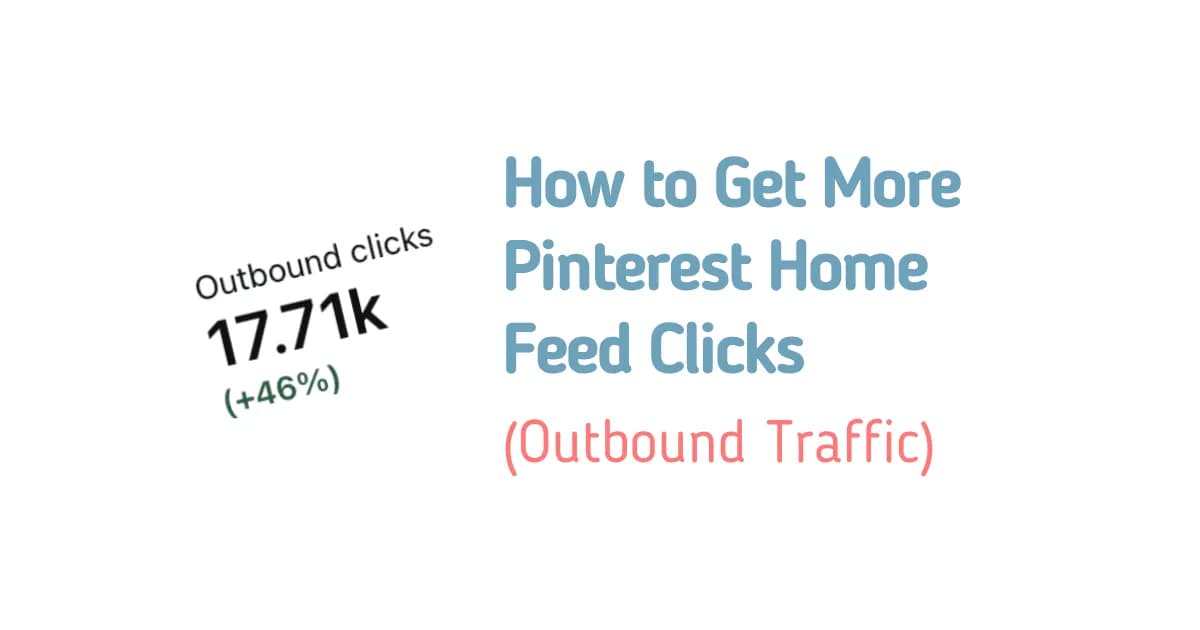
if you want more clicks on Pinterest, you need to understand how the Pinterest home feed actually works.
Most creators spend so much time focusing on keywords, SEO, search results, and board names. And don’t get me wrong, these things are important. But there is another opportunity that I think a lot of Pinterest creators overlook: getting clicks directly from the home feed.
Think about it. People don’t always open Pinterest because they want to search for something specific. Sometimes, they just want to scroll, discover new ideas, and find something interesting.
And that’s exactly where your pins have an opportunity to stand out.
But here’s the problem. Even if you have the right keywords and your pins are fully optimized, that doesn’t automatically mean people will click on them.
You still need to catch their attention.
In this guide, I’ll explain how the Pinterest home feed works, why you can’t control exactly who sees your pins, and what I’ve learned about creating pins that stand out, attract attention, and get more clicks.
How Does the Pinterest Home Feed Work?
The biggest mistake I see Pinterest creators make is assuming that the home feed works exactly like Pinterest search.
It doesn’t.
When someone searches for something on Pinterest, the platform already has a pretty good idea of what that person wants to see.
For example, let’s say someone searches for blueberry muffins.
Pinterest knows that this person is interested in blueberry muffins, so your job is to create a pin that matches that search.
But the home feed works differently.
When someone opens Pinterest and starts scrolling, they aren’t necessarily looking for anything specific. Pinterest has to decide what content to recommend to that person at that particular moment.
That’s why I think it’s so important to understand the difference between creating pins for search and creating pins that can attract clicks from the home feed.
The home feed is recommendation-based. Pinterest tries to predict what each person might enjoy seeing next, even if they haven’t specifically searched for that content.
For example, someone who searched for blueberry muffins yesterday might see blueberry pancakes, blueberry cheesecake, or blueberry smoothies on their home feed today.
They never searched for those recipes, but Pinterest may recommend them because they could be relevant to that person’s interests.
And this is where things get interesting for bloggers.
Your content doesn’t necessarily need to appear only when someone searches for the exact topic of your article. It also has the opportunity to reach people while they’re simply browsing Pinterest.
However, getting those people to click is a different challenge.
Pinterest Home Feed vs. Pinterest Search
Before we talk about how to get more Pinterest home feed clicks, let’s look at the main difference between these two traffic sources.
| Pinterest Search | Pinterest Home Feed |
| Someone searches for a specific topic. | Someone scrolls through recommended content. |
| Pinterest can match pins to the search query. | Pinterest recommends content based on its predictions about the user. |
| Keywords and relevance are important. | Relevance still matters, but catching attention is especially important. |
| Your pin needs to match what someone is searching for. | Your pin needs to make someone interested enough to stop scrolling. |
Neither approach should be ignored.
I still believe that keywords, SEO, and relevant pin descriptions are important parts of Pinterest marketing.
However, if your goal is to get more clicks from the home feed, I wouldn’t focus all my attention on SEO alone.
Think about how you personally use Pinterest.
When you’re searching for a specific recipe or idea, you already know what you’re looking for. You can compare the results and decide which pin best matches your needs.
But when you’re scrolling through your home feed, you might not be looking for anything at all.
A pin has to give you a reason to stop.
Maybe the image catches your attention. Maybe the headline is interesting. Or maybe the design is simply easier to understand than the pins around it.
That tiny moment can make the difference between someone scrolling past your pin and someone clicking through to your blog.
And that’s what I want you to focus on.
Why You Can’t Control Exactly Who Sees Your Pins
One thing I think Pinterest creators need to understand is that every user has a different home feed.
Your home feed doesn’t look like mine, and mine doesn’t look like someone else’s.
Someone who spends a lot of time looking at Etsy products may start seeing more Etsy-related pins.
Someone interested in wedding ideas may receive completely different recommendations.
And someone who enjoys dogs or Labrador content will have a different set of pins again.
Pinterest personalizes the experience based on what it believes each user will enjoy.
This means there isn’t one universal home feed where every Pinterest user sees the same content.
Instead, Pinterest makes decisions about what to recommend to different people.
So, if you’re wondering how to make Pinterest show your pin to a specific audience, the honest answer is that you can’t control that decision directly.
You can optimize your pins, but you cannot guarantee exactly who will see them.
What you can control is how you present your content.
You can use relevant titles, descriptions, and annotated interests from pin clicks to help Pinterest understand what your pin is about. You can also create different pin designs and angles for the same article.
But once your pin appears on someone’s screen, you still need to convince them that it’s worth clicking.
That’s why I wouldn’t spend all my time trying to outsmart the Pinterest algorithm.
I’d spend more time thinking about the actual experience of the person scrolling through my pins.
Why Pinterest Home Feed Clicks Depend on Your Pin Design
In my experience, one of the biggest advantages you can give yourself when trying to get more home feed clicks is creating a pin that people can understand immediately.
Remember, people scroll through Pinterest quickly.
They’re not necessarily stopping to carefully examine every pin they see. Most of the time, they move from one image to another without giving each one much attention.
Your pin might only have a split second to make an impression.
So, ask yourself a few questions.
- Can someone understand what my pin is about almost immediately?
- Is the headline big enough to read on a phone?
- Is there an obvious focal point?
- Does the image stand out from the pins around it?
- Is the message clear, or does the design feel too complicated?
These questions matter because you’re not competing against just one other pin.
You’re competing against dozens or even hundreds of other images that people could find more interesting.
And if your pin has tiny text, an unclear message, or a design that takes too long to understand, someone might scroll past before they even realize what you’re offering.
This is why I believe pin design deserves much more attention when your goal is to increase Pinterest home feed clicks.
You don’t necessarily need a complicated design.
You need something that catches the eye, communicates the topic clearly, and gives people a reason to click.
Let’s look at the specific design strategies I’d focus on.
1. Make Your Pin Headline Bigger and Easier to Read
If I could give you just one quick tip for improving your Pinterest pin designs, it would be this: make your text bigger.
Seriously, don’t underestimate how much readability matters.
People are often browsing Pinterest on their phones, and your pin is only visible for a short moment while they scroll.
If someone has to zoom in to read your headline, you’ve already made the experience more difficult than it needs to be.
The same applies when you use an unusual font that makes your headline difficult to understand.
Even if the information behind your pin is fantastic, people need to understand what you’re offering before they can decide whether they want to click.
That’s why I like designs with large, clear headlines.
In fact, some of my best-performing pins have been incredibly simple. The text takes up a large part of the design, the image is clear, and the message is easy to understand.
You don’t always need lots of decorative elements or several different text sections.
Sometimes, a bold headline is enough to catch someone’s attention.
How to Make Your Pinterest Pin Text More Readable
Here are a few things I’d pay attention to when designing your next pin:
- Use a larger headline. Make the main message easy to read without zooming in.
- Choose a readable font. Avoid fonts that make people work too hard to understand your text.
- Keep the message clear. Someone should be able to understand the main topic quickly.
- Make the headline stand out. Don’t let your text get lost among the other elements in your design.
- Think about mobile users. Your pin needs to communicate its message even when someone is scrolling quickly on a small screen.
You can even try a simple experiment.
Open your Pinterest home feed and look at the pins around you.
Which ones catch your attention first?
Is it the pin with tiny text that’s difficult to read, or the one with a bold headline that you can understand immediately?
For me, readability is one of the most important things to consider when creating pins designed to get more clicks.
2. Use a Clear Image and One Main Message
Another thing I’ve noticed is that a pin doesn’t have to look complicated to perform well.
Sometimes, the simplest designs are the ones that get the most attention.
Think about a pin with one clear image and one main message.
There’s no need to squeeze lots of information into the design or make every part of the pin compete for attention.
Instead, the image supports the topic, and the headline tells people what the pin is about.
That’s it.
For example, I had a pin featuring an AI-generated image of a casserole with large, attractive text in the middle. There was nothing particularly complicated about the design.
But that pin managed to get over 3,000 clicks in the last 30 days.
This is exactly why I don’t think you should assume that every successful Pinterest pin needs to look fancy or detailed.
A simple design can still catch attention if the image looks good and the message is clear.
When you’re creating a pin, try focusing on three things:
- One clear image.
- One main message.
- A headline that people can read immediately.
Of course, a simple design won’t guarantee a specific number of clicks. But it gives you a clear starting point for creating pins that are easy to understand while people scroll.
And honestly, I think that’s much more useful than adding extra design elements just because you feel like your pin needs to look more complicated.
3. Make Your Pins Stand Out While People Scroll
Pinterest is a visual platform, which means your pin needs to catch someone’s attention before they decide whether to click.
And this is where your choice of image, colors, headline, and overall layout comes into play.
Imagine opening your home feed and seeing hundreds of different pins.
Some have small headlines. Others use lots of different elements. Some have very bright images, while others have a simple layout with a bold message.
Which one would make you stop scrolling?
There isn’t one design that will appeal to everyone, of course. But I think it’s worth paying attention to the pins that immediately catch your eye.
For me, a pin needs to have something that makes it stand out from the surrounding content.
That could be the image, the colors, or the headline.
The important thing is that someone can recognize the main message without spending several seconds trying to figure it out.
Try a Two-Image Pinterest Pin Layout
In the food niche, one design structure I’ve seen work well uses two images: one at the top and another at the bottom, with a large headline in the middle.
I think this is a good example of how you can make a pin visually interesting without making the message difficult to understand.
The two images help showcase the food, while the large text gives the pin a clear focal point.
One example of this design approach received nearly 10,000 saves.
That’s a fantastic result, and it shows why I think it’s worth paying attention to the way you present your content visually.
You don’t need to use this exact layout for every pin, though.
The goal isn’t to make every design look the same. It’s to understand which visual elements help communicate your content and catch people’s attention.
Experiment with different layouts, images, and headline sizes, and pay attention to how your pins perform.
4. Give Your Pin an Obvious Focal Point
Have you ever looked at a pin and struggled to figure out where you’re supposed to look first?
Maybe there are too many images, the text is too small, or several different elements are competing for your attention.
That’s something I’d try to avoid.
When someone sees your pin while scrolling, they shouldn’t need to examine the entire design to understand its main message.
Give them something obvious to focus on.
This could be your headline, the main image, or a combination of both.
For example, if you’re creating a pin for a chicken casserole recipe, you might use a clear image of the casserole with a large headline that tells people what the recipe is about.
The image attracts attention, and the text communicates the topic.
You don’t need to add lots of other elements if they don’t help the main message.
When designing your pins, ask yourself:
- What do I want people to notice first?
- Is my headline easy to find?
- Does my image support the topic?
- Are any design elements distracting from the main message?
If you can’t identify the focal point of your own pin, it might be worth simplifying the design.
Remember, the goal is to make your pin easy to understand in a very short amount of time.
5. Create Multiple Pins for the Same Blog Post
One mistake I’d avoid is assuming that one pin is enough for every blog post.
Think about it.
You can write a fantastic article, create one pin, and publish it on Pinterest. But what happens if that particular design doesn’t catch someone’s attention?
It doesn’t necessarily mean your article isn’t interesting.
It might simply mean that the design didn’t appeal to the people who saw it.
This is one reason I almost always create multiple pins for the same article.
Each pin gives me another opportunity to present the content in a different way.
You can experiment with different headlines, images, layouts, and visual approaches while linking the pins to the same article.
For example, one design might have a large headline with a simple image, while another might use two images and a headline in the middle.
Both pins promote the same content, but they offer a different visual experience.
And that’s important because people don’t all respond to the same designs.
A pin that catches one person’s attention might be ignored by someone else.
By creating multiple variations, you’re giving Pinterest more opportunities to recommend your content to people who might be interested in it.
How Many Pin Designs Should You Create for One Article?
I wouldn’t focus on creating as many designs as possible without thinking about their quality.
Instead, start by creating different variations that present your article in meaningful ways.
You could experiment with:
- Different headlines.
- Different images.
- Different text placements.
- Different layouts.
- Different angles that highlight the same article.
The goal is to create pins that feel distinct rather than simply making tiny changes to the same design.
You can then observe which designs attract more attention and clicks.
Just remember that creating multiple pins doesn’t guarantee that Pinterest will show them to different audiences. Pinterest still decides which content to recommend.
But it does give you more opportunities to present your article in a way that catches someone’s attention.
6. Use Different Angles to Reach Different Audiences
This is another reason I like creating multiple pins for the same article.
Sometimes, the same piece of content can appeal to different people for completely different reasons.
Let’s use a chicken casserole article as an example.
You could create one pin that focuses on easy dinners.
Another could highlight meal prep.
You could also create a pin aimed at people interested in high-protein meals, family recipes, or comfort food.
All of these pins can link to the same article.
The difference is how you present the content.
One person might be interested in finding an easy dinner for a busy evening, while someone else might be looking for meal-prep ideas.
Even though they could both enjoy the same recipe, they might respond to different headlines or images.
This is why I think it’s worth considering the different reasons someone might want to read your article.
Instead of asking yourself, “How can I create one perfect pin for this post?” try asking, “What are the different angles I can use to present this content?”
For a food blog, that might mean focusing on the recipe’s role in an easy dinner, a meal-prep plan, or a family meal.
The same approach can help you think about other topics, too.
The important thing is to make sure each pin presents a clear, relevant angle rather than simply repeating the same message.
And remember, these different angles are opportunities, not guarantees. Pinterest determines where and when each pin appears.
7. Give Pinterest More Opportunities to Show Your Content
Creating multiple pins is useful, but you also need to think about how often you’re publishing them.
If you have several different pin designs for the same article, you don’t necessarily want to publish them all at once.
Personally, I usually wait at least a week before posting the same URL again.
This gives me a way to spread out the different pin variations instead of repeatedly publishing the same destination too frequently.
The idea is simple: each distinct pin creates another opportunity for someone to discover your content.
Let’s say you’ve written an article about chicken casseroles and created several different pin designs.
You might have one focused on easy dinners, another focused on meal prep, and another focused on family recipes.
Instead of relying entirely on one pin, you can give those different designs their own opportunities to be discovered.
However, I wouldn’t confuse creating more pins with guaranteeing more clicks.
More pins create more opportunities, but the design still needs to catch attention, and Pinterest still decides what to recommend.
I’d rather focus on creating several clear, appealing variations than publishing lots of pins that all look almost identical.
Quality matters, especially when the goal is to make people stop scrolling and click.
8. Don’t Forget About Keywords and Annotated Interests
Now, I want to make one thing clear.
Even though I’ve spent a lot of time talking about pin design, I’m not saying that keywords and optimization don’t matter.
They still play an important role in how you present your content to Pinterest.
Your pin needs a relevant title and description that communicate what the content is about.
Annotated interests from pin clicks are another part of the optimization approach I consider when creating Pinterest content.
These elements matter because Pinterest makes its own decisions about which content to recommend to each user.
You can help by making your pin’s topic clear, but you cannot directly choose the exact people who will see it in their home feeds.
This is why I think it’s a mistake to focus entirely on either design or SEO.
You need both.
Your keywords and descriptions help communicate the subject of your content, while your design gives people a reason to pay attention when your pin appears.
Think of it this way:
Optimization helps you present your content. Design helps you earn attention.
If you’re already spending a lot of time researching keywords and optimizing your pins, consider putting some of that effort into improving the visual side of your Pinterest strategy, too.
Because even when your pin is well optimized, you still need someone to notice it.
How to Optimize Your Pins for More Home Feed Clicks
Now that we’ve covered the main strategies, let’s put everything together into a simple process you can use when creating your next Pinterest pin.
Step 1: Start With a Clear Topic
Before you design your pin, make sure you know what the content is about and what angle you want to highlight.
For example, if your article is about chicken casserole, decide whether your pin will focus on easy dinners, meal prep, family recipes, or another relevant angle.
Having a clear topic makes it easier to create a focused headline and choose an appropriate image.
Step 2: Write a Headline People Can Understand Quickly
Your headline needs to communicate the main idea without making people work to understand it.
Avoid making the text so small that someone has to zoom in.
Choose a readable font and make the main message prominent.
Remember, your pin may only have a split second to catch someone’s attention.
Step 3: Choose a Clear, Attractive Image
Your image should support the topic and help the pin stand out.
For a food pin, you might use an appealing image of the finished recipe.
You can experiment with different image placements, including the two-image layout with a large headline in the middle.
The important thing is that the image and text work together.
Step 4: Simplify the Design
Look at your pin and ask yourself whether every element is helping communicate the message.
If the design feels crowded or the headline gets lost, try simplifying it.
One image, one clear message, and readable text can be a great starting point.
Step 5: Optimize the Pin
Add a relevant title and description, and pay attention to the annotated interests from pin clicks as part of your optimization approach.
Don’t forget that Pinterest makes the final decision about which users see your content.
Your job is to present the topic clearly and give your pin the best opportunity to be understood.
Step 6: Create Additional Variations
Don’t assume that your first pin design is the only one worth publishing.
Create other versions with different headlines, images, or layouts.
You can also explore different angles for the same article, as long as each variation remains relevant to the content.
Step 7: Space Out Your Pin Publishing
If you’re publishing multiple pins that link to the same article, avoid posting the same URL too frequently.
I usually wait at least a week before publishing the same URL again.
This gives you a way to spread out your variations while continuing to create opportunities for people to discover your article.
Step 8: Pay Attention to Which Designs Get Clicks
Finally, look at how your pins perform.
Pay attention to which designs attract clicks and which ones don’t seem to get the same attention.
If a simple pin with a large headline performs well, think about what made that design effective.
Was the text easier to read? Was the image more appealing? Was the main message clearer?
Use those observations to inform your next designs rather than assuming every pin needs to follow the same formula.
The goal is to keep learning what works for your content and improve your approach over time.
Common Pinterest Home Feed Mistakes to Avoid
If you’re trying to get more Pinterest home feed clicks, here are some mistakes I’d pay attention to.
1. Focusing Only on SEO
Keywords, titles, descriptions, and other optimization elements are important, but they aren’t the entire strategy.
A well-optimized pin still needs to catch someone’s attention when it appears on their home feed.
Don’t spend all your time on keywords while ignoring the actual design.
2. Using Text That’s Too Small
This is one of the easiest things to overlook.
A headline might look perfectly readable while you’re designing it, but that doesn’t mean someone can understand it quickly while scrolling on their phone.
Make your text big enough to read without zooming in.
3. Choosing Complicated Fonts
A decorative font might look attractive, but if it makes your headline difficult to understand, it can work against your goal.
Choose readability over unnecessary complexity.
4. Adding Too Many Elements
Your pin doesn’t need to communicate everything about your article at once.
If you have too many images, headlines, or competing design elements, the main message can become harder to identify.
Keep the focal point clear.
5. Assuming One Pin Is Enough
Different people can respond to different designs and content angles.
Creating only one pin means you’re relying on a single presentation of your article.
Try creating multiple meaningful variations instead.
6. Publishing Variations Without Changing the Angle
Creating multiple pins doesn’t mean you need to make dozens of nearly identical designs.
Experiment with different headlines, images, layouts, and relevant angles that make each pin distinct.
7. Expecting to Control the Pinterest Algorithm
You can optimize your pins, but you can’t guarantee exactly who will see them or when they’ll appear.
Pinterest personalizes its recommendations for individual users.
Rather than trying to control every part of the process, focus on what you can influence: the clarity, relevance, and visual appeal of your pins.
Frequently Asked Questions
How do I get more clicks from the Pinterest home feed?
Focus on creating pins that catch attention quickly. Use large, readable headlines, clear images, and a simple design with an obvious focal point.
You should also create multiple pin variations for the same article, experiment with different angles, and continue using relevant titles, descriptions, and annotated interests as part of your optimization approach.
Does Pinterest SEO help with home feed clicks?
Pinterest SEO still matters, but home feed recommendations work differently from search results.
Keywords help communicate what your pin is about, while the home feed involves Pinterest deciding what content to recommend to each user.
If you want more home feed clicks, don’t focus on SEO alone. Make sure your pin design is clear enough to catch someone’s attention while scrolling.
Can I choose who sees my Pinterest pins?
No, you can’t directly choose exactly who sees your pins in their home feed.
Pinterest personalizes recommendations for individual users based on what it predicts they might enjoy.
You can optimize your titles and descriptions and use relevant annotated interests, but Pinterest ultimately decides which content to show to each person.
What makes a Pinterest pin more clickable?
I would start with a clear headline, a readable font, an attractive image, and a design that communicates its message quickly.
Your pin needs to stand out among the other content on someone’s screen.
It doesn’t have to be complicated. Sometimes, a simple design with one image and a bold headline is all you need to create a strong starting point.
Should I create multiple pins for one blog post?
Yes, I recommend creating multiple pin variations for the same article.
You can experiment with different images, headlines, layouts, and relevant content angles to give your article more opportunities to be discovered.
However, avoid publishing the same URL too frequently. I usually wait at least a week before posting the same URL again.
How often should I publish pins for the same URL?
I usually wait at least a week before posting the same URL again.
This helps me space out different pin variations rather than repeatedly publishing the same destination too frequently.
You can use that time to create additional designs that present the article in different ways.
Do Pinterest pins need to look fancy to get clicks?
Not necessarily.
In my experience, some of my best-performing pins have had very simple designs.
A clear image, a large headline, and one main message can be more useful than a complicated layout that makes the content difficult to understand.
Focus on readability and clarity rather than adding extra elements just to make the pin look more elaborate.
Final Thoughts
If there’s one thing I want you to remember from this article, it’s that getting Pinterest home feed clicks is about earning attention, not just optimizing for keywords.
Pinterest decides who sees your pins. But you have control over how you present your content and whether your design gives people a reason to stop scrolling.
You can spend hours researching keywords, optimizing your descriptions, and organizing your boards. Those things are important, but they won’t automatically make people click when your pin appears in their home feed.
You still need a clear headline, an attractive image, and a design that someone can understand almost immediately.
I’d also encourage you to stop assuming that one pin is enough for every article.
Create different variations, experiment with different angles, and pay attention to which designs attract clicks.
You don’t need to make every pin complicated. Sometimes, the simplest designs are the ones that communicate the message most clearly.
And remember, you can’t control exactly who sees your pins. What you can do is create content that gives Pinterest more opportunities to recommend your work and gives people a reason to click when they see it.
So, the next time you’re creating a Pinterest pin, don’t just ask yourself whether it’s optimized.
Ask yourself this instead:
If someone sees my pin for half a second while scrolling, will they understand what it’s about, and will it make them want to click?
That’s the question I’d keep coming back to.
Now, I’d love to know: are you focusing more on Pinterest SEO or on improving your pin designs? Let me know in the comments!